Personal memory
Preferences, communication style, and the context Perisclaw learns about you.
A good assistant is only as useful as how well it knows you. Someone who's worked with you for years knows how you speak to your boss versus your team, what you never want to be bothered with, and the rules you expect followed without being told. That depth is what makes an assistant feel like yours instead of generic. It's exactly what personal memory gives Perisclaw.
Perisclaw learns how you work and applies it across every chat and session.
What it learns
- How you talk to different people. The way you write to your mom, in a friends' group, and to a colleague are all different. Perisclaw learns these differences and matches the right tone for whoever you're talking to.
- From your edits. Shorten a draft once and it keeps them short. Adjust the tone and it remembers, so over time your drafts come out right without correction.
- Your standing rules and preferences. "Don't ping me before 10am," "no emojis for the Board group," "always draft in the first person." These get stored and applied everywhere.
- Your shorthand. Tell it once that "the boss" is Rahul, or that "the standup" is a particular group, and it knows who and what you mean from then on.
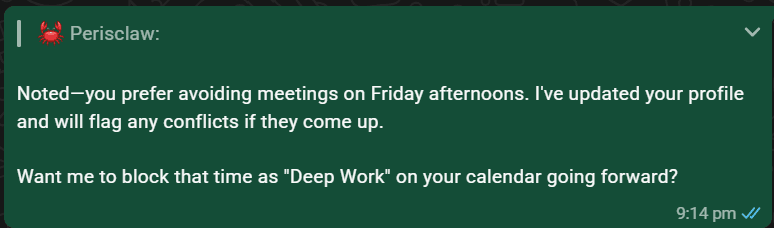
The more you use it, the better it gets
Each preference Perisclaw stores is one you never have to give again. It needs less correction over time, and it grows more like you the more you use it, until your assistant simply gets it.
How to use it
Just tell Perisclaw what to remember (or forget) in plain language:
- "Remember that 'the boss' refers to @contact."
- "Never use emojis when drafting for the 'Board Members' group."
- "Always keep my replies to @contact crisp and direct."
- "Forget the rule about drafting in the third person."
See and correct what it knows
None of this is a black box. Ask Perisclaw in your self-chat, by text or voice:
- "What do you remember about me?" It lists what it knows and where each item came from.
- "Actually, I moved to Berlin." It corrects the memory and keeps the old value in history, so a correction never gets silently undone.
- "Forget that I'm on a diet." It removes the memory and won't pick it up again on its own.
Anything Perisclaw noted about you before this memory system stays available as read-only background. Newer memories win when they disagree, and you can ask it to remove or fix an old note.